Downloads
The Downloads page lets you export calibrated sensor measurements for offline analysis or integration with other tools.
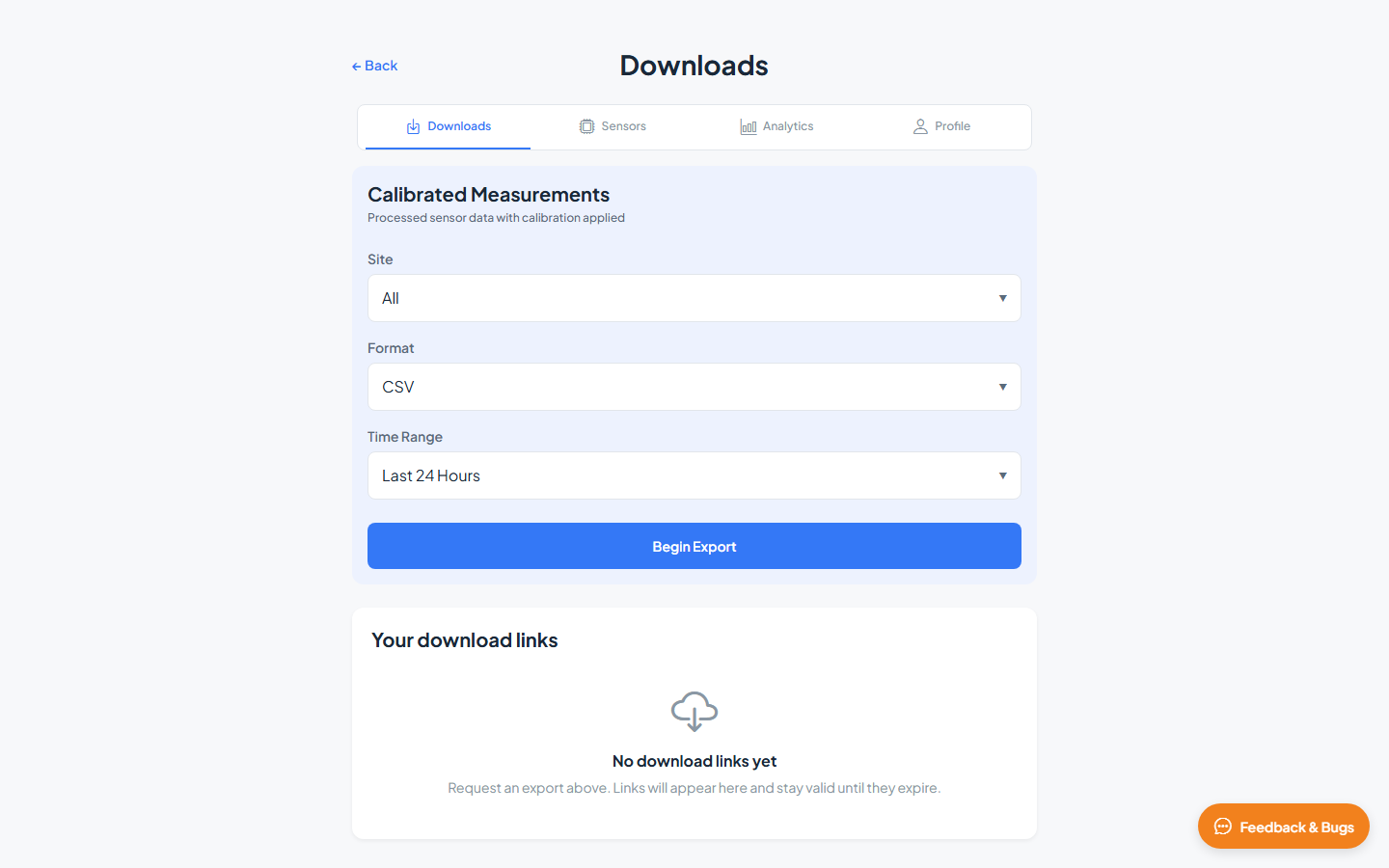
Calibrated Measurements
Calibrated Measurements exports processed sensor data with calibration applied. Configure the export options and click Begin Export.
| Field | Options | Description |
|---|---|---|
| Site | All, or a specific site | Limit export to one site or include all sites |
| Format | CSV, GeoJSON | File format for the export |
| Time Range | Last 24 Hours, Last Week, Last Month | Period of data to include |
After clicking Begin Export, the server prepares your file. Large exports may take a moment.
Your download links
Completed exports appear in the Your download links table below the export form.
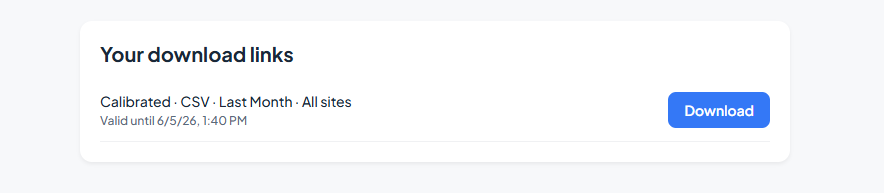
Each row shows the export details (e.g. Calibrated · CSV · Last Week · Site Name) and its status:
| Status | Action |
|---|---|
| Valid link | Click Download to save the file |
| Expired | Link has expired; run a new export to generate a fresh file |
Related guides
- Analytics — explore data interactively before exporting
- Profile & API — programmatic access via OGC Features API