Profile & API
The Profile & Users page covers your personal settings, programmatic data access, and your organization’s user directory.
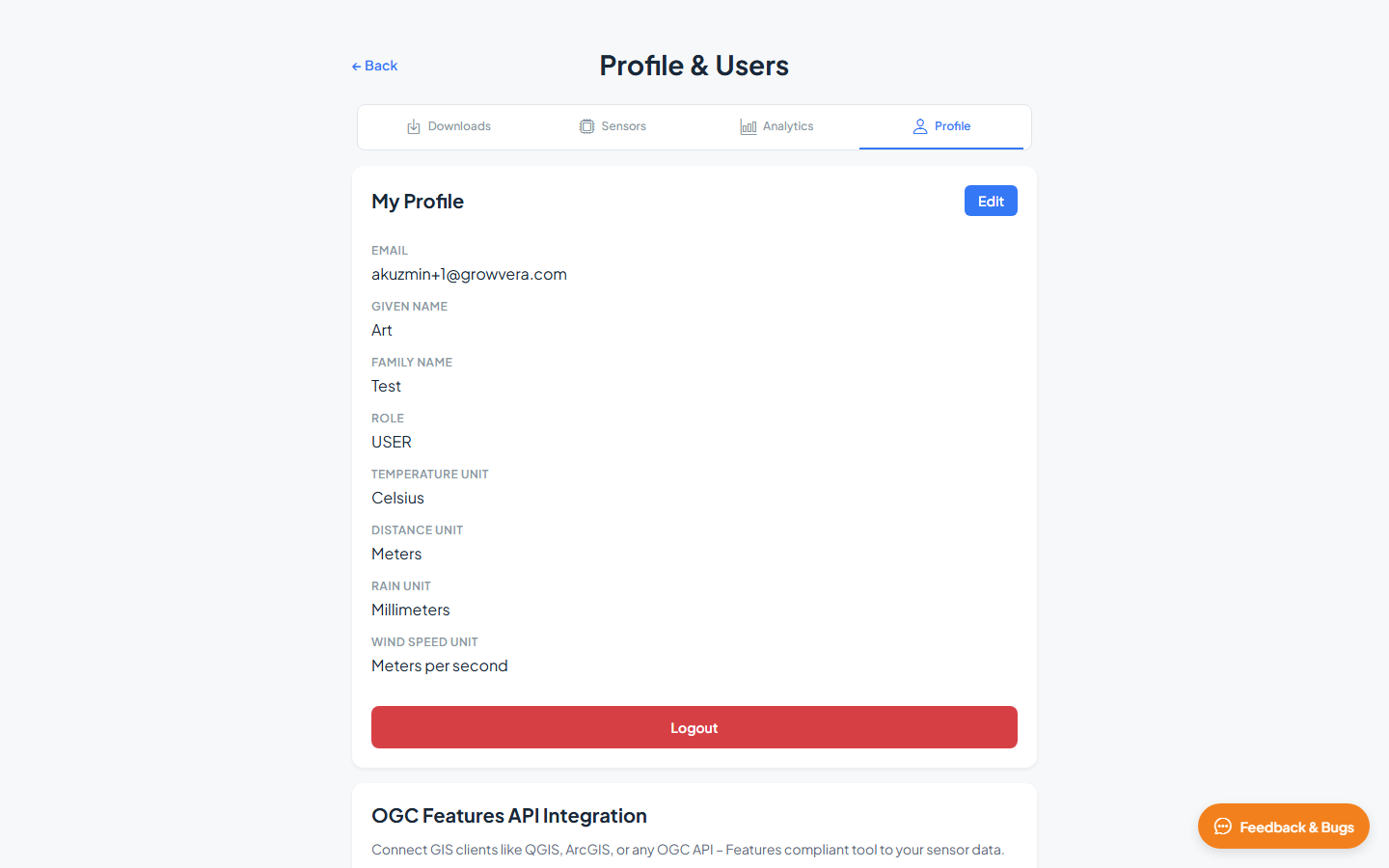
My Profile
View and edit your account information. Click Edit to change editable fields, then save your changes.
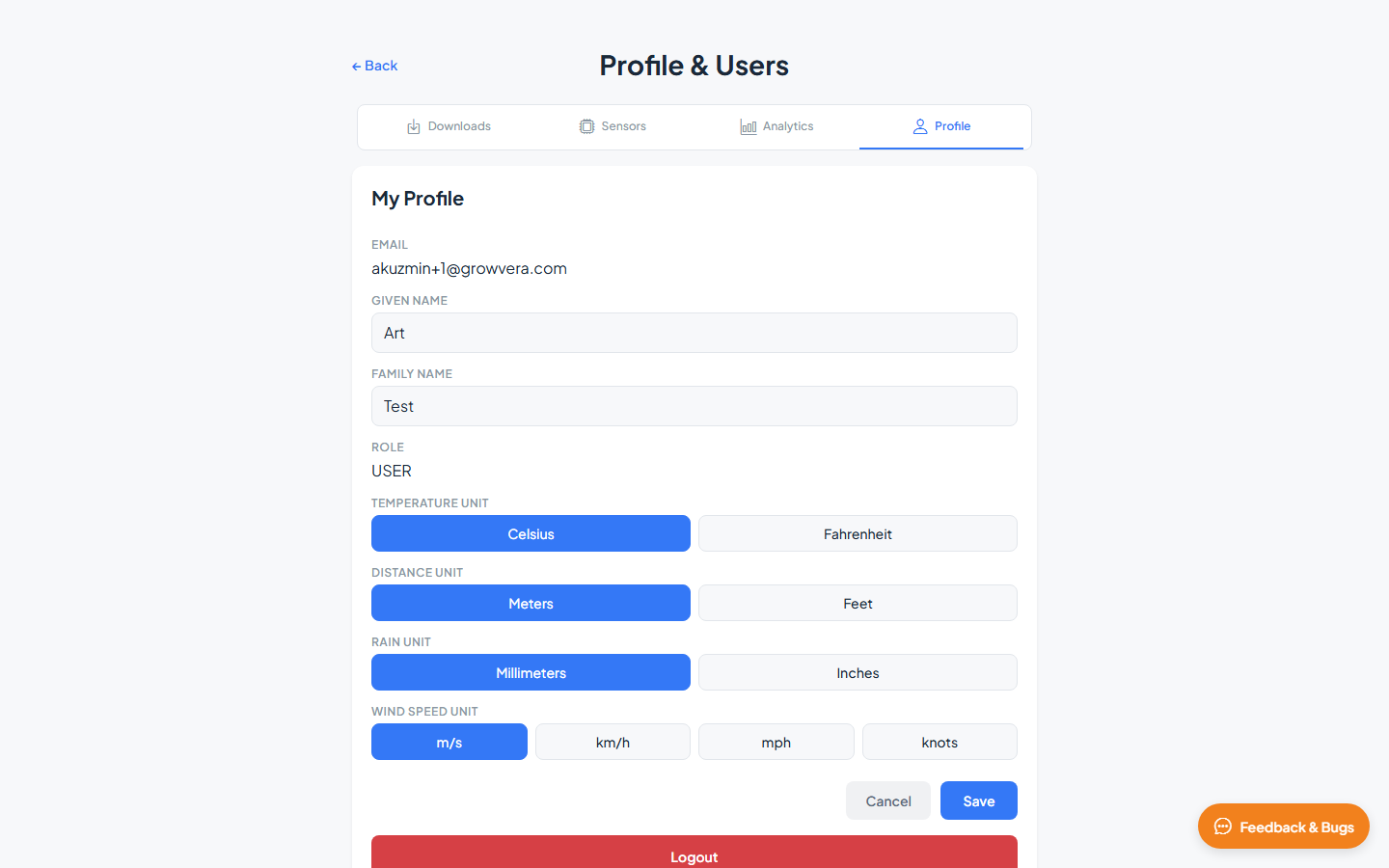
| Field | Editable | Description |
|---|---|---|
| No | Your login email address | |
| Given Name | Yes | First name |
| Family Name | Yes | Last name |
| Role | No | Your role in the organization |
| Temperature Unit | Yes | Celsius or Fahrenheit |
| Distance Unit | Yes | Meters or Feet |
| Rain Unit | Yes | Millimeters or Inches |
| Wind Speed Unit | Yes | m/s, km/h, mph, or knots |
Unit preferences apply across the dashboard — maps, charts, and exports respect your chosen units.
Click Logout at the bottom of the profile section to sign out.
OGC Features API Integration
The OGC Features API Integration section provides programmatic access to your sensor data for use in GIS tools like QGIS.
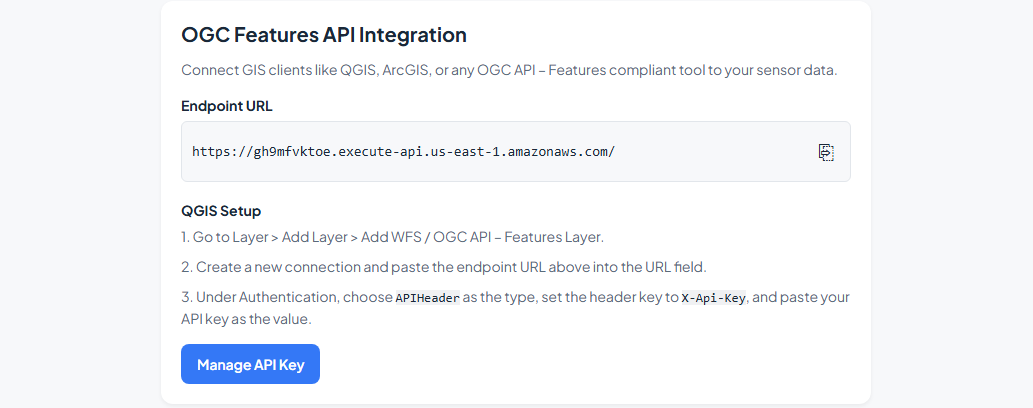
| Element | Description |
|---|---|
| Endpoint URL | OGC API – Features compliant endpoint for your organization’s data |
| QGIS Setup | Step-by-step instructions for adding the layer in QGIS |
| Manage API Key | Generate, rotate, or delete your personal API key |
API key management
| Action | Description |
|---|---|
| Generate API Key | Create a new key for API access |
| Show / Hide | Toggle visibility of the key value |
| Copy | Copy the key to your clipboard |
| Rotate Key | Generate a new key and invalidate the old one |
| Delete Key | Remove your API key |
Organization Users
The Organization Users section lists everyone in your organization.
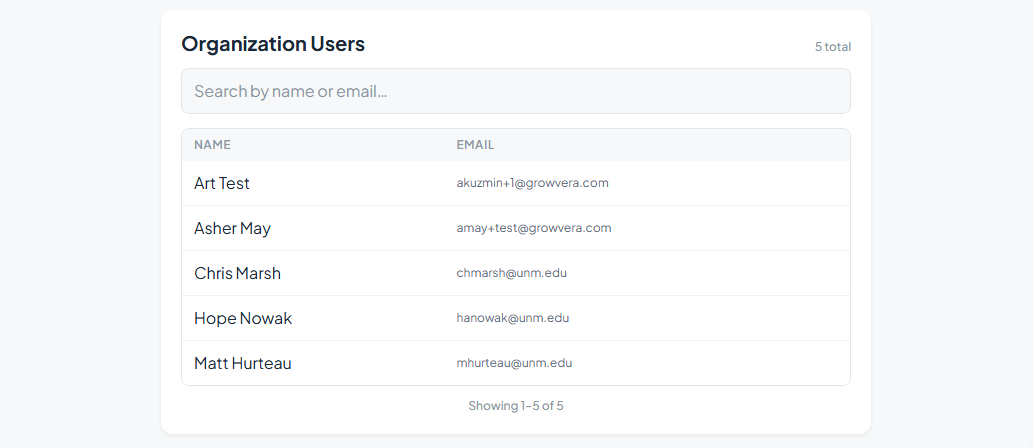
| Feature | Description |
|---|---|
| Search | Filter by name or email using Search by name or email… |
| Name column | User’s display name |
| Email column | User’s email address |
| Pagination | Navigate through pages if your organization has many users |
Contact Growvera if you need to add or remove users from your organization.
Related guides
- Downloads — one-time data exports as CSV or GeoJSON
- Web App Overview — sign in and navigation basics